

A Household Budget for Two: Roles Instead of a Shared Spreadsheet
By Zanket GroupPublished: October 13, 2026
The short version
Most couples start budgeting together with a shared spreadsheet. A couple of months in, rows have been overwritten, the teenager can edit everything, and nobody remembers who entered the $180 charge. A spreadsheet has no roles, and finding out who wrote what means digging through its version history.
In ExtMoney a household budget lives in a shared workspace, and every member has a role in it. The role decides who only looks, who records transactions and who can invite new people. Below: how the roles work, how to invite your partner, where to see who spent what, and which plan you need for it.
Why the shared spreadsheet stops working
One edit wipes out another. Two people log the weekend's spending at the same time and one row disappears. Working out which version was right means going through the edit history, if you are lucky.
Access is all or nothing. If your kid can see the sheet, they can change it too. "View only" in a shared spreadsheet usually means a second copy that falls behind the first.
Nobody knows who entered what. "Was that you or me?" is hard to settle in a spreadsheet, because a row has no author you can see at a glance.
A shared workspace and four roles
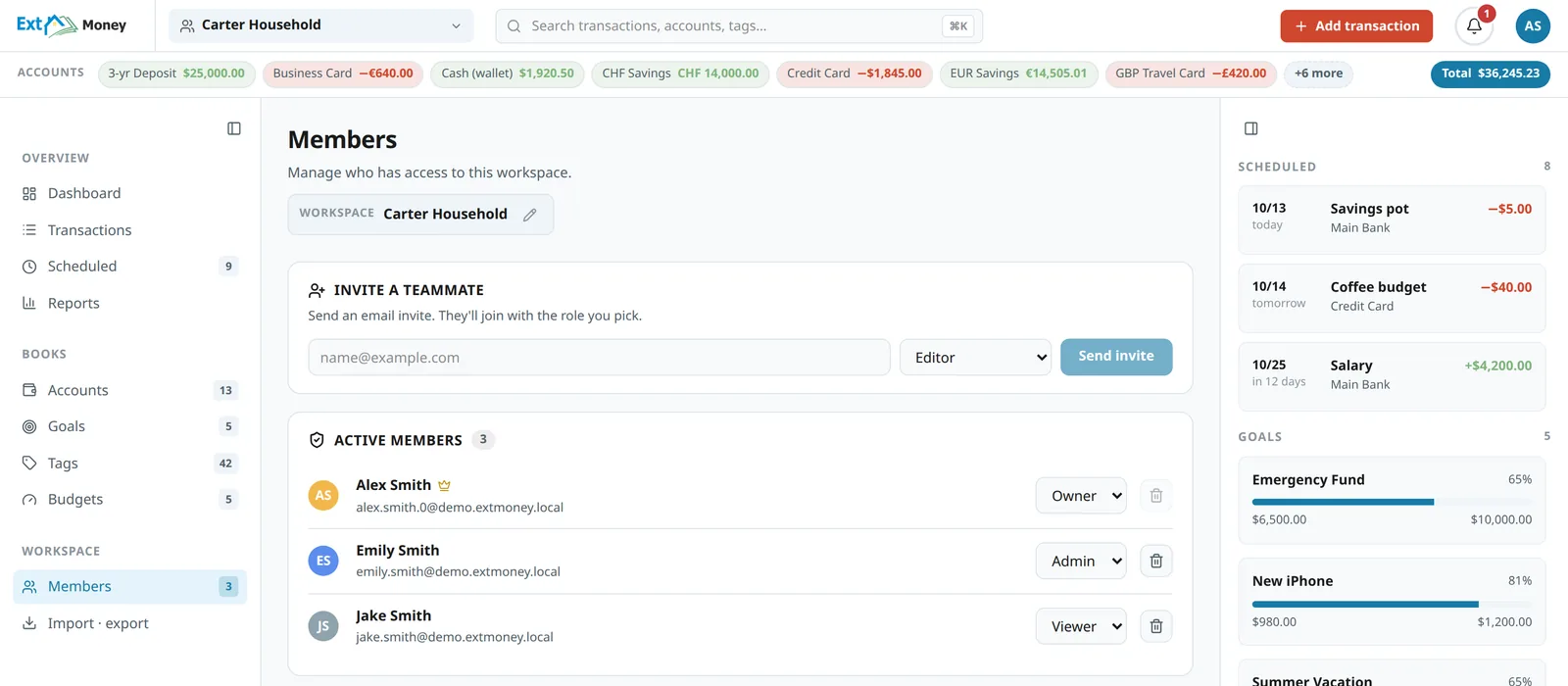
A household budget in ExtMoney lives in its own workspace, with its own accounts, categories, budgets, goals and recurring payments. Every member joins it with one of four roles, and each role can do everything the one before it can.
- Viewer sees the whole workspace (accounts, transactions, reports, goals) and changes nothing. A good fit for a teenager who should see where the family's money goes.
- Editor adds and edits transactions, accounts, budgets, goals and recurring payments. This is the usual role for a partner.
- Admin can also invite and remove members.
- Owner is one per workspace. Only the owner changes other members' roles and manages the plan's billing, and the owner is the one member who can't be removed.
How to invite your partner
On the Members page, enter an email address and pick a role. The invite goes out as an email with a link. If the person already has an account, they can accept the invite from the link without signing in first. If they don't, the link takes them to sign-up, and they join the household workspace once they confirm their email.
Until it is accepted, the invite sits under "Pending invites", where you can revoke it. When a member is removed from the workspace, their unused invites are revoked too, so an old link cannot bring them back.
What's personal stays personal
Joining a household workspace does not mix your own money into it. Whoever you invite keeps their own workspace with their personal accounts, and the household cannot see it. Everyone sees their own workspace and the ones they were invited to, and you switch between them from the header.
For the owner it depends on the plan. On Plus the owner has one workspace, so if you invite your partner into it, that workspace becomes the shared one. On Family you get up to three, so you can keep the household one and a personal one apart.
Who recorded what
The By member report shows each person's income, spending, net and number of transactions, and below that, a breakdown by the accounts they used.
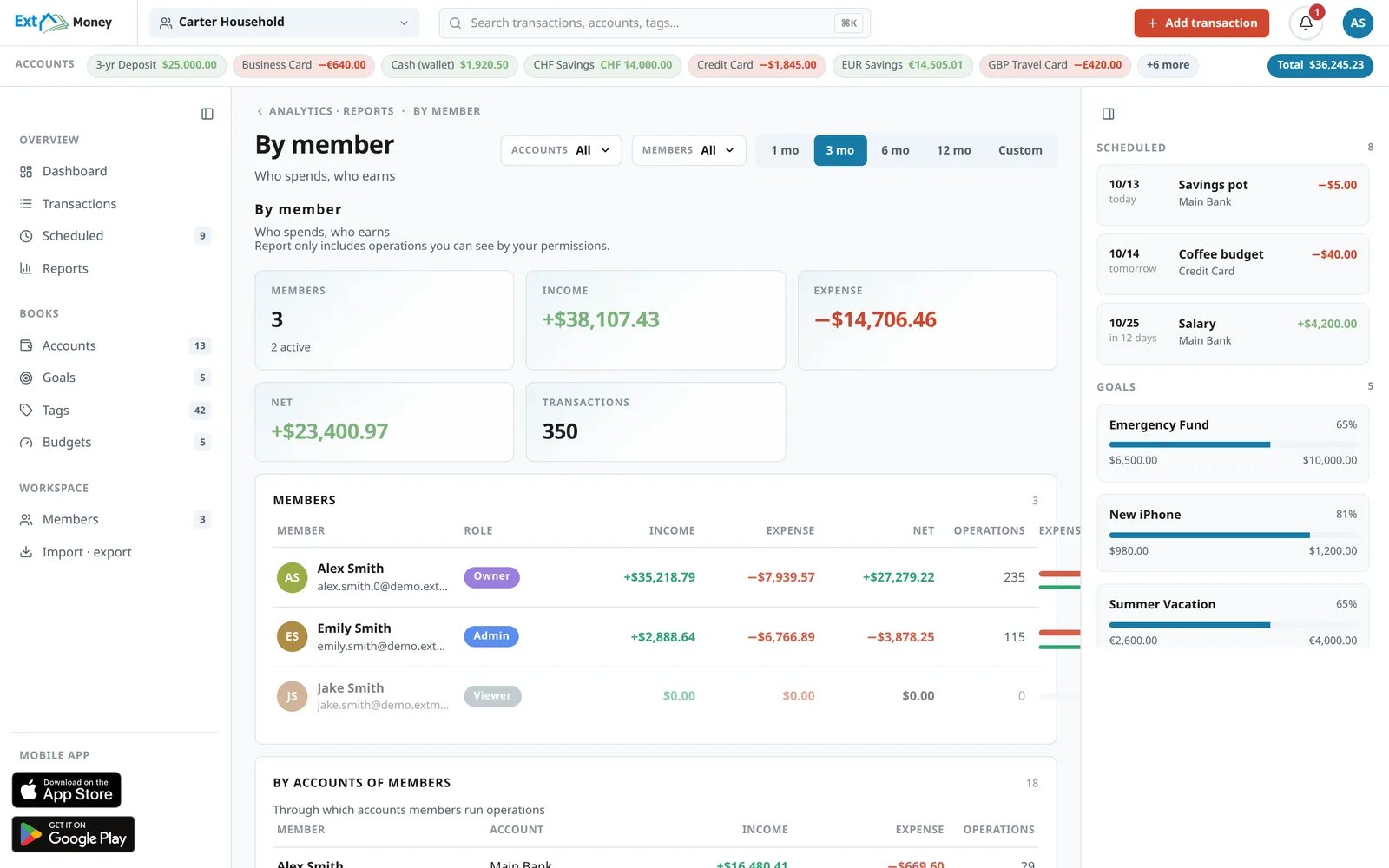
One caveat so the numbers read correctly. The report credits a transaction to whoever recorded it, not to the person whose card was used. If Emily logs a purchase Alex made, it shows up under Emily. The simplest way to keep the picture accurate is to agree that everyone records their own spending right after paying, by voice or with a receipt photo. A viewer always shows zero, because that role cannot record transactions.
Shared limits and goals
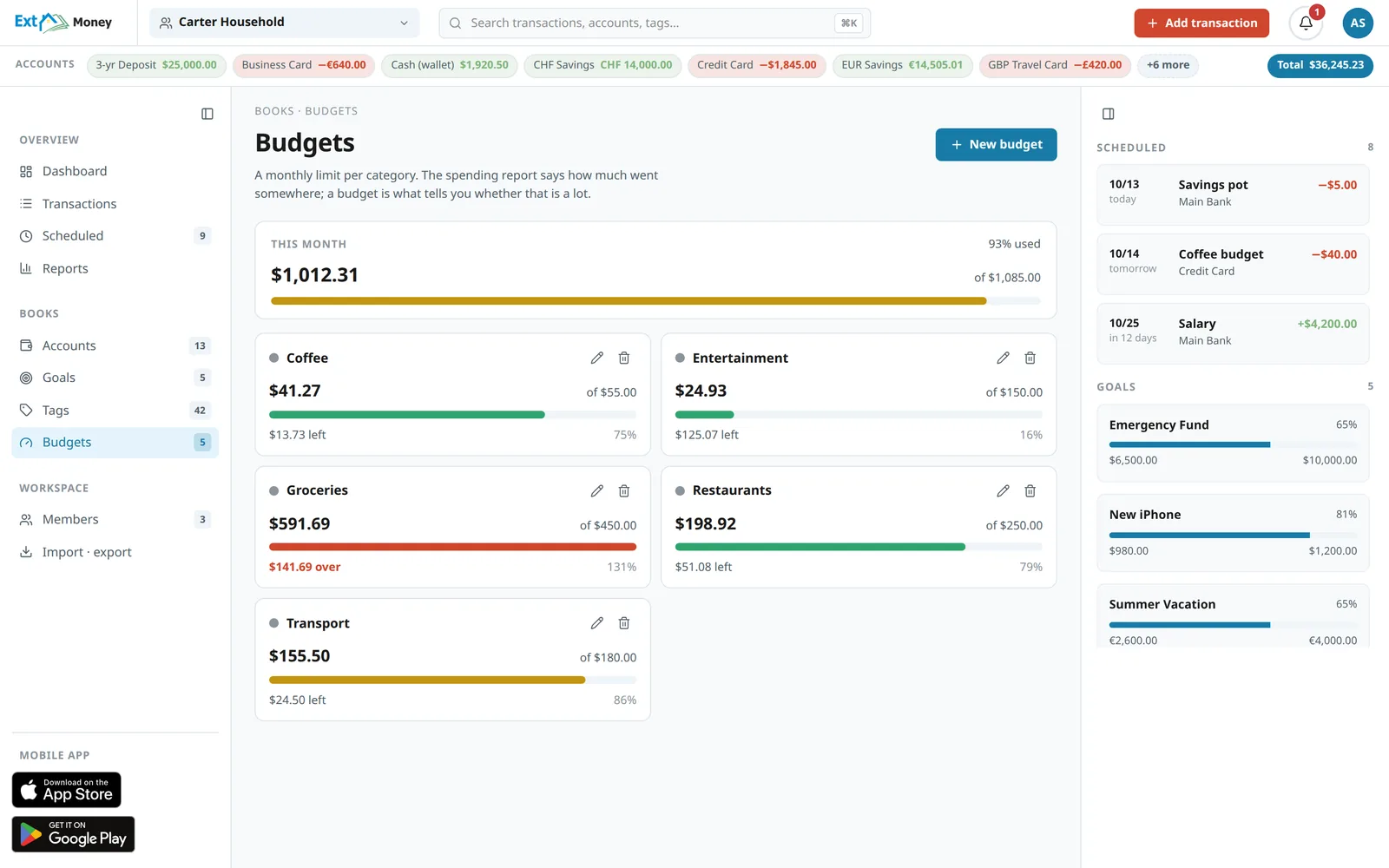
A category budget belongs to the whole workspace. When Groceries or Entertainment goes over its limit, the app sends a notification, once a month per budget, so you are not reminded every day of something that has already happened. Set the limit from what the household actually spent on that category in past months rather than from an aspirational number, or you'll blow through it in the first week.
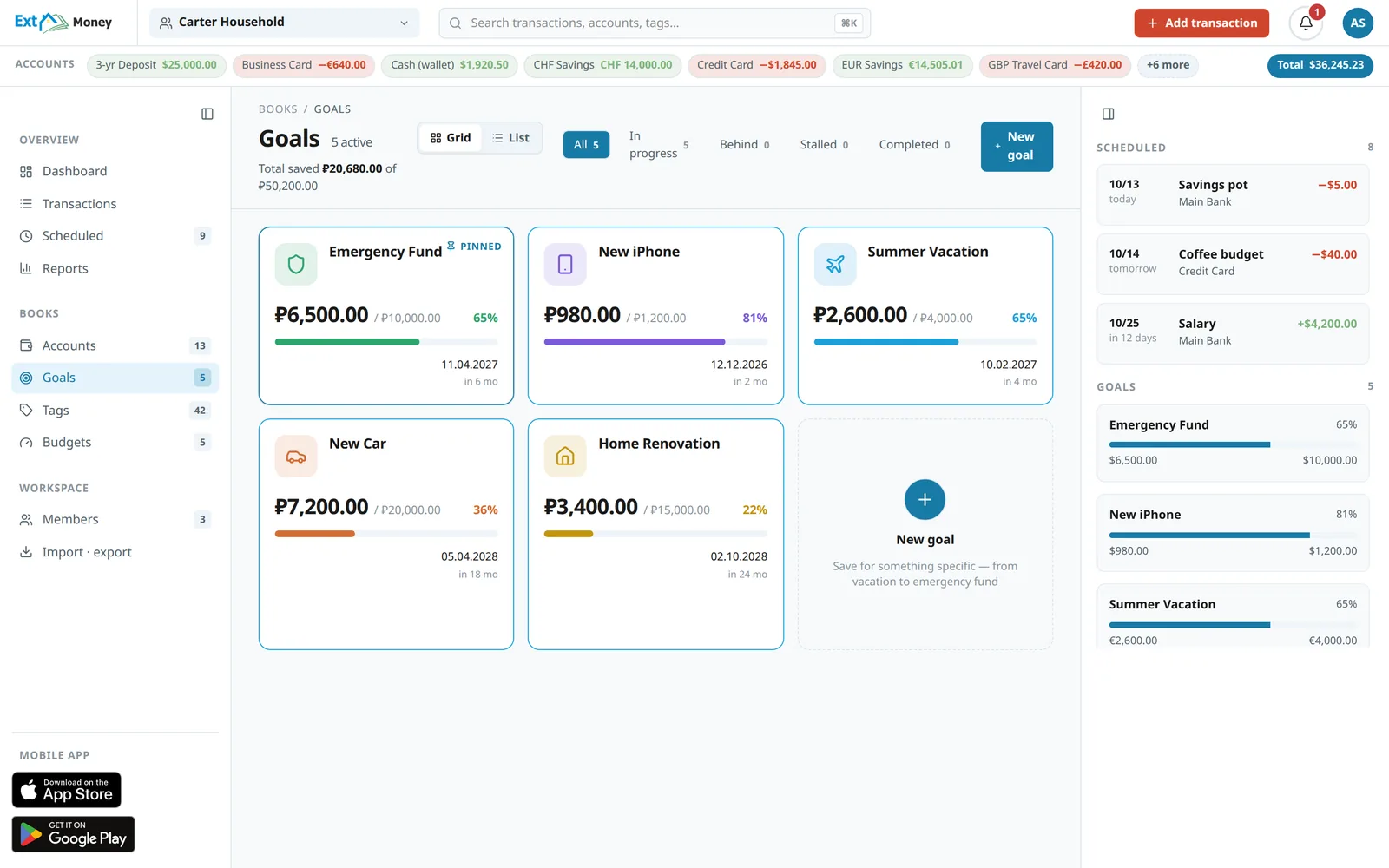
Goals are shared as well: a vacation, an emergency fund, a new phone. Every member sees the progress, and anyone with write access can add to a goal.
Which plan you need
- Free: one member, so you cannot invite a second person, not even during the trial. It is a good way to start on your own and see whether the app fits, with five accounts and up to three category budgets with notifications.
- Plus, $4.99 a month or $49 a year: two members and one workspace. That is enough for a couple: roles, shared accounts, limits and goals. The By member report is not included in Plus.
- Family, $9.99 a month or $99 a year: up to six members, up to three workspaces, and the By member report.
Every member takes a seat, viewers included, so a couple with a teenager already needs Family: Plus has two seats.
The owner of a workspace pays for its plan, and the other members use that plan inside that workspace. In their own personal workspaces, everyone keeps their own plan.
Worth knowing
The app does not connect to your bank. A shared account in ExtMoney is for shared bookkeeping; the app has no access to your bank cards, and you record the transactions yourselves, by typing, by voice or with a receipt photo.
Only the owner can delete a workspace, and you can export your data at any time.
Getting started
- Sign up. Your workspace is created automatically.
- Pick a plan: Plus if there are two of you, Family if there are more or you want the By member report.
- Add the shared accounts: the joint card, cash, a savings account.
- On the Members page, invite your partner as an Editor and your teenager as a Viewer.
- Set limits on the two or three categories where money disappears most quietly.
- Agree that everyone records their own spending. A month from now the report will show where the household's money goes and who is spending it.
You can start on your own for free: ExtMoney.